
- 30 days free! Get started today for free
- Become a Partner
- Call now (+44)-123-561-9426

Scaling, performing and peace of mind
Dedicated Resources
CPU, RAM, and storage are allocated exclusively to your server - consistent performance without sharing with other users.
Enhanced VPS Security
Fully isolated environment with data encryption, two-factor authentication, and secure VPN connections to your virtual server.
Cost-Effective Power
A VPS offers all the benefits of a dedicated server - root access, dedicated resources, and full control - at an affordable price.
Stable Performance
CPU, memory, and NVMe storage are exclusively allocated to each VPS, so performance remains unaffected by other users.
Full Root Control
Full root access to your server - install software, configure system settings, and tailor the environment exactly to your needs.
Instant Scalability
Upgrade CPU, RAM, and storage with a single click through the management console. Changes take effect immediately with zero downtime.
Our Benefits
Dedicated Resources for Maximum Performance
Every OMC VPS includes fully dedicated CPU, RAM, and Gen 5 NVMe storage. Your resources are never shared with other tenants, ensuring consistent and predictable performance even under heavy workloads. Our VPS servers deliver sub-20ms response times for applications that demand speed.
Full Root Access and Total Control
Get full root access to your virtual private server. Install any software, configure system settings, and build your environment exactly to your needs. With OMC, it is your server and your rules - from custom firewall configurations to kernel-level tuning.

Instant Scaling Without Downtime
Upgrade or downgrade resources like CPU, RAM, and storage with a single click through the management console. Changes take effect immediately with zero downtime, so your business always matches demand. Define auto-scaling rules to handle traffic spikes automatically.

99.995% Uptime with Multi-Region Infrastructure
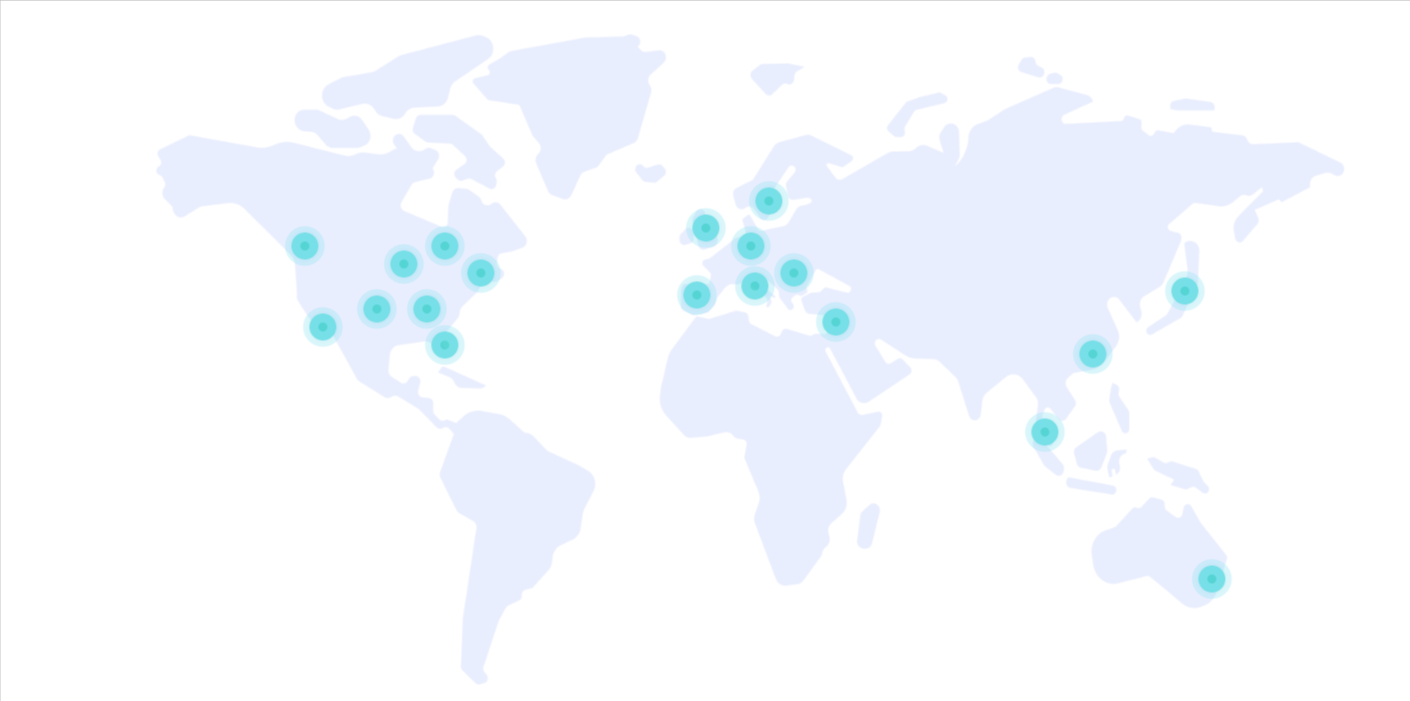
Our servers are deployed across 25 data centers worldwide with Anycast technology and Multi-Region infrastructure. We guarantee a 99.995% uptime SLA with automatic failover between data centers. Your VPS stays online even during regional outages.

Trusted Worldwide
Over 30 years of experience, tens of thousands of customers, and a global footprint that speaks for itself.
0
Customers
0
Years of Experience
0
Countries
0
Servers
Trusted by leading companies







Plans & Pricing
Choose the cloud configuration that fits your business with performance, availability, and flexibility.
| Plan Name | Monthly Price | CPU Cores | Memory (GB) | Disk Space (GB) | Data Transfer (GB) |
|---|---|---|---|---|---|
| Availability 1GB 1core | $4.00 | 1 | 1.0 | 20 | 5000 |
| Availability 2GB 1 core | $6.00 | 1 | 2.0 | 20 | 5000 |
| General 1GB 1 core | $9.00 | 1 | 1.0 | 20 | 5000 |
| General 2GB 1 core | $15.00 | 1 | 2.0 | 20 | 5000 |
| Availability 4GB 2 cores | $19.00 | 2 | 4.0 | 40 | 5000 |
| General 4GB 2 cores | $42.00 | 2 | 4.0 | 40 | 5000 |
| Availability 8GB 4 cores | $42.00 | 4 | 8.0 | 80 | 5000 |
| General 8GB 4 cores | $90.00 | 4 | 8.0 | 80 | 5000 |
| Availability 16GB 8 cores | $99.00 | 8 | 16.0 | 150 | 5000 |
Compliance & Standards
Information security, governance, and operational controls are an integral part of our services.
ISO/IEC 27001
27001
Organization-wide information security management based on an international framework.
ISO/IEC 27017
27017
Cloud-specific security controls for cloud environments and services.
SOC 2
SOC 2
Operational controls and processes focused on security, availability, and service management.
FAQ
Scalability at OMC is immediate. You can define “growth rules” so that when there is a spike in traffic, the server automatically receives additional RAM and CPU. This prevents crashes and ensures every visitor can complete their purchase without delays.
While in a public cloud resources are broadly shared, OMC’s VPS provides logical hardware isolation. In 2026, under stricter regulatory requirements, the ability to know that your data remains within Israel’s borders on an isolated server is a significant legal and business advantage.
Yes, we offer dedicated GPU Cloud Servers. This is a critical solution for companies developing AI models, real-time video processing, or heavy graphic rendering. The servers are equipped with NVIDIA cards optimized for Machine Learning.
Server speed is the first parameter that AI engines evaluate. An OMC VPS server with Gen 5 NVMe storage enables response times of under 20 ms. The faster your website responds, the easier it is for bots like Google’s to crawl and analyze your content in real time and display it in AI-generated summaries.
Absolutely. Our infrastructure supports containerization (such as Docker and Kubernetes) and enables rapid deployment of nodes for blockchain networks or decentralized applications. Our processors (latest-generation Intel Xeon Platinum) provide the computing power required for complex cryptographic operations.
At OMC Cloud, we commit to a 99.995% SLA. Thanks to Anycast technology and a Multi-Region infrastructure in Israel, our servers maintain stability even under extreme traffic loads. For business websites, every minute of downtime in 2026 translates into an immediate loss of trust from search engines, which is why everything is built with full redundancy.
Choosing the right VPS provider depends on four key factors: hardware, availability, security, and support. It’s important to ensure the provider uses high-performance storage technologies (such as NVMe) and offers a global infrastructure (like OMC’s 25 data centers worldwide, including Israel) to guarantee maximum uptime.
In addition, make sure you choose a company that provides real human technical support available 24/7, so you can receive immediate assistance in case of any issue or when upgrading resources is required.
Yes, absolutely. A VPS server is significantly more secure than shared hosting, as it operates in a fully isolated environment (Isolation). A breach or malware infection in another user’s environment cannot affect your server.
Moreover, OMC Cloud’s infrastructure operates under the strictest security protocols (including ISO standards) and allows the implementation of cloud firewalls such as FortiGate, Sophos, and others, along with Anti-DDoS services to provide comprehensive protection for your data.
A virtual server is suitable for a wide range of applications that require high performance and stability. The most common uses include:
Hosting advanced websites and high-traffic online stores.
Managing enterprise systems (ERP / CRM) remotely.
Setting up development and testing environments (QA) for programmers.
Running heavy databases and game servers.
A VPS provides full flexibility to install any software or operating system (Linux/Windows) according to business needs.
While a VPS is an isolated virtual environment within a physical server, a dedicated server is an entire physical machine allocated exclusively to a single customer.
A VPS provides tremendous flexibility (scalability), allowing you to increase resources with the click of a button, and is suitable for the vast majority of businesses and eCommerce websites. In contrast, a dedicated server is significantly more expensive and is mainly required by large enterprises with exceptional security and processing demands.
In shared hosting, computing and network resources are shared among multiple users, whereas in a VPS, computing and network resources are dedicated and guaranteed for each individual customer.
The main difference lies in isolation and resource allocation: in shared hosting, dozens of websites share the same network and computing resources, meaning heavy traffic on one site can slow down or even crash your website. In contrast, a VPS provides a fully isolated environment with your own guaranteed resources.
This makes it the ideal solution for growing websites and environments that require fast performance and uncompromising stability.
A VPS (Virtual Private Server) is a private virtual server that runs within a powerful physical server that is virtually partitioned into multiple isolated environments.
Unlike standard web hosting or shared hosting, with a VPS you receive fully dedicated resources (such as CPU, RAM, and NVMe storage) that are allocated exclusively to you.
This technology provides stability, enhanced security, and full control (Root Access or Administrator access) - similar to a dedicated server, but at a much more cost-effective price.
Explore your options with OMC cloud
In this article, we outline five key steps every organization should take before migrating to the cloud, including budget planning, selecting the right provider, and technical measures to ensure a successful transition.
Initial Steps - Assessing Needs and Preparing Necessary Infrastructure
The first step in migrating to the cloud is understanding the unique needs of your organization. This process includes evaluating resources and mapping existing systems to determine what should move to the cloud and what can remain on local servers. It's recommended to analyze the organization's usage of various systems, storage, and performance requirements, and identify ways to improve efficiency through cloud migration.
Cost and Timeline Assessment
After mapping the needs, the next phase involves budget and timeline planning. It’s important to define an appropriate budget that includes provisions for unexpected expenses, such as software adjustments or required upgrades during the process. Additionally, consider potential future expansions, such as increasing storage capacity or adding backup servers. A structured timeline, outlining the various phases of the migration, helps prevent delays and ensures that all project stakeholders are aware of the activation schedule for the systems.
Choosing the Right Cloud Service Provider
Selecting the right cloud provider is critical for a successful migration. Several criteria can assist in making the choice:
Scale and Reliability: Larger providers typically offer more reliable services and advanced backup systems.
Data Security: Ensure the provider adheres to stringent security standards and offers tools for managing permissions and protecting data.
Technical Support: Accessible and professional support is especially important for resolving issues, particularly in the initial days following the migration.
Data Backup and Protection During Migration
Before starting the migration, it’s essential to back up all existing data. A full backup, including critical information systems and business applications, is crucial. Staged migration can also be considered to reduce the risk of data loss and ensure each system operates smoothly before proceeding to the next one.
Addressing Technological Barriers and Challenges
During the migration, technological challenges such as compatibility issues with older systems, connection problems, or difficulties with new cloud interfaces may arise. To tackle these challenges, perform preliminary tests and prepare an immediate backup plan for any potential failures. Additionally, training employees on the new system through workshops or tutorials can help ensure a smoother transition.
A Careful Approach to Cloud Migration
Cloud migration requires meticulous planning and effective resource management. Following these steps can make the migration process faster, more efficient, and safer.
At OMC, our expert cloud consultants map the computing environment of each client before onboarding, covering both server and endpoint levels. They provide tailored solutions that ensure efficiency in terms of resilience, information security, and, of course, cost-effectiveness.
